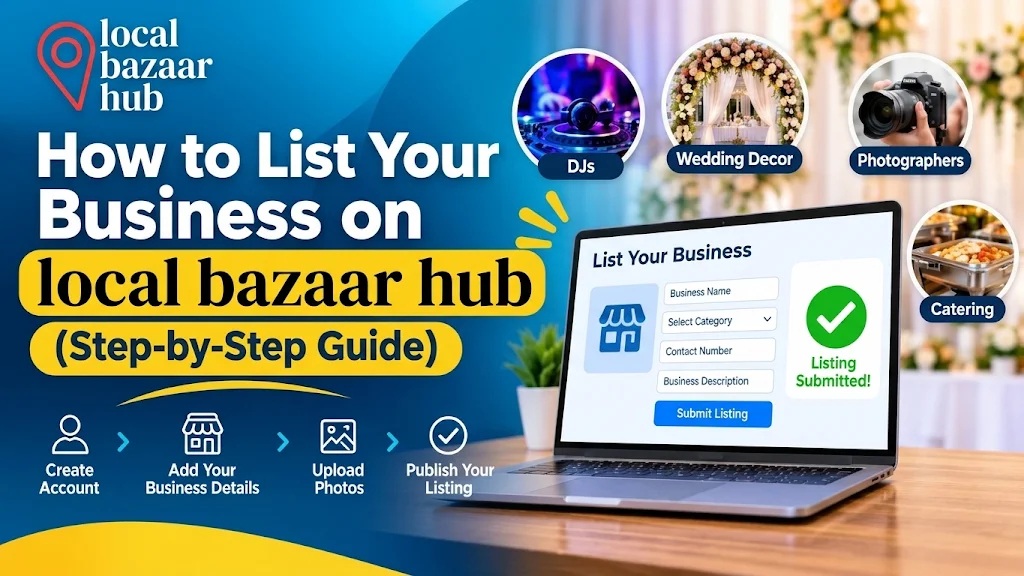
How to List Your Business on Local Bazaar Hub (Step-by-Step Guide)
Most local service businesses lose bookings for one simple reason: the right customer never finds them. A great DJ, decorator, makeup artist, or caterer can still stay invisible if customers can’t find them in one place.
A business listing directory fixes that. Local Bazaar Hub is built so couples, families, and event planners can search by category and location, open a profile, see photos and contact details, and reach out directly. If you run a service business, getting listed puts you in front of people who are already searching.
This guide shows exactly how to list your business on Local Bazaar Hub, from choosing a plan to publishing your profile. You’ll also find what to prepare beforehand and how to make your listing stand out.
What Is Local Bazaar Hub?
Local Bazaar Hub is an online business directory focused on DJs and wedding decor professionals, with other event and beauty categories listed alongside them. Customers can search by category, filter by location, and compare listings before they get in touch.

Each listing can include a business description, logo, cover image, photo gallery, video, pricing range, business hours, social media links, and direct contact details.
You can list your business under any of these categories:
- Catering / Food
- DJs
- Hair
- MUA (Makeup Artists)
- Videographers / Photographers
- Wedding Decor
Listings can be placed in many regions, including Arizona, California, Colorado, Florida, Georgia, Illinois, Maryland, Massachusetts, Michigan, New Jersey, New York, North Carolina, Ohio, Pennsylvania, Tennessee, Texas, Virginia, Washington, and Washington, DC.
Who Should List Their Business?
The FAQ page describes the platform as open to service-based businesses in events, food, beauty, and local services. It’s a good fit if you:
- Rely on local customers or event bookings
- Want a profile that shows your past work in one place
- Want customers to contact you directly instead of through a middleman
- Offer services in one city or across several metro areas
Local Bazaar Hub also states there’s no contract or long-term commitment, and plans can be changed or cancelled at any time.
What to Prepare Before You Start
Having your details ready makes the process much quicker. Gather the following before you open the form:
- Business name and tagline: a short, clear line about what you do
- Category: the one that best matches your main service
- Description: your services, experience, and what makes you different
- Logo and cover image: clean, high-quality files
- Gallery photos: your best recent work
- Video (optional): a sample reel or highlight clip
- Location: the region you serve and your address if you want one shown
- Contact details: business email, phone number, and website
- Price range: a starting price or a general range
- Social media links: Facebook, Instagram, Pinterest, YouTube, and others
- Business hours: your weekly availability
How to List Your Business on Local Bazaar Hub: Step by Step
Step 1: Choose a listing plan
Start by picking a plan from the pricing section on the homepage. All three include a featured listing, the ability to edit your listing, and 24/7 email support.
| Plan | Price | Listing posts | Duration |
| Basic Pack | $10 | 10 | Permanent |
| Standard Pack | $30 | 20 | Permanent |
| Professional Pack | $60 | 30 | Permanent |
If you only want to test the platform, the Basic Pack is the lowest-cost way in. If you want longer visibility or plan to publish more listings, the Standard or Professional Pack gives you more room.
Step 2: Open the Post a Listing page
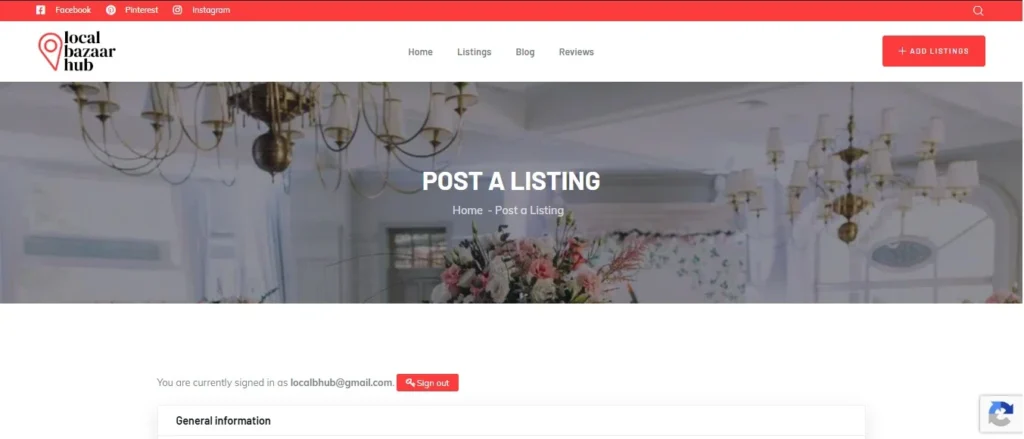
Click any ADD LISTINGS button on the site, or go directly to the Post a Listing page. This is where the full listing form lives.
Step 3: Sign in or create your account
If you already have an account, sign in. If not, enter your email address or username and an account will be created for you. Your account details are confirmed by email, so use an address you check regularly. You’ll use this account to manage your listing later.
Step 4: Fill in your general information
This section tells customers what you do:
- Listing Title: use your business name plus your main service and city, for example “Your Business Name – Wedding DJ Services in Washington, DC”
- Tagline: one short sentence that sums up your service
- Listing Category: choose the category that fits best
- Listing Amenities: after you choose a category, the available amenities appear. Options include Accepts Credit Cards, Car Parking, Pet Friendly, Reservations, Wheelchair Accessible, and Wireless Internet. Tick only what applies.
- Type: pick the option that best describes how you work (Freelance, Full Time, Part Time, Temporary, or Internship)
- Description: explain your services, experience, style, and the kinds of events or customers you work with
Write the description for a customer, not a search engine. Say what you offer, who you serve, and why someone should contact you.
Step 5: Upload your media
Visual proof builds trust faster than text. You can upload:
- Listing Logo: your brand mark
- Listing Cover Image: the large banner image at the top of your listing
- Listing Gallery: photos of your work
- Listing Video: a link to a sample or intro video
Use sharp, well-lit images and compress large files so the page loads quickly.
Step 6: Add your location
Select your Listing Region from the dropdown, then add your location. You can also set a map pin using latitude and longitude. Choose the region where most of your customers are, since customers can filter by location when they search.
Step 7: Add your business information
This is how customers reach you:
- Phone
- Website
- Address
- Price Range: choose from four tiers (from inexpensive to ultra-high) or keep it hidden
- Price From and Price To: a starting price and a ceiling
If you prefer to quote per event, you can hide the range and invite customers to contact you for a custom quote.
Step 8: Add your social profiles
Link any of the following: Facebook, LinkedIn, Twitter, Instagram, Tumblr, Pinterest, Vimeo, and YouTube. Customers like to look at your social feeds to see your style and recent work before they book.
Step 9: Set your business hours
For each day, Monday through Sunday, set your opening and closing times, or use the custom option if your schedule varies. Event businesses often work evenings and weekends, so be accurate here to avoid missed inquiries.
Step 10: Add any additional information and submit
Review everything for typos and wrong phone numbers, then submit. According to the Local Bazaar Hub FAQ, listings are reviewed promptly and published shortly after you select a plan and submit your details.
How to Make Your Listing Stand Out
Publishing is only half the job. These habits help your profile win clicks and inquiries:
- Use a specific title: “Wedding DJ Services in Washington, DC” beats “Best Entertainment.”
- Lead with your best photo: Your cover image is the first thing people see.
- Show real work: Add past events, finished decor setups, or sample reels instead of stock images.
- State what you offer clearly: List your main services in the first few lines of the description.
- Be honest about pricing: A realistic price range attracts customers who are ready to book.
- Keep contact details current: A wrong phone number costs real bookings.
- Link your social profiles: It gives customers more proof of your style.
- Respond quickly: Event customers often contact several vendors at once, and the fastest helpful reply often wins.
After Your Listing Goes Live
Once your listing is published, you have a few things to look after:
- Edit anytime: The FAQ says you can update your business details, images, and services from your dashboard whenever you want.
- Use the featured placement: Featured listings get priority placement in search results and category pages.
- Collect reviews: Local Bazaar Hub uses a verification system so that reviews are authentic. Customer reviews help build trust over time.
- Contact support when needed: Help is available through the contact form or by email.
Common Mistakes to Avoid
- Choosing the wrong category: Customers browse by category, so pick the one that matches your main service.
- Leaving out the logo or gallery: Listings without visuals look unfinished.
- Using very large, unoptimized images: They slow the page down.
- Writing a vague description: Be specific about services, style, and the areas you serve.
- Skipping business hours or contact details: Customers who can’t reach you quickly will move on.
Frequently Asked Questions
What types of businesses can list on Local Bazaar Hub?
Service-based businesses in events, food, beauty, and local services can list. Current categories include DJs, Wedding Decor, Makeup Artists, Hair, Catering/Food, and Videographers/Photographers.
How much does it cost to list a business?
There are three plans: Basic at $10, Standard at $30, and Professional at $60. Each has a different number of listing posts.
How long does it take for my listing to go live?
Listings are reviewed promptly and published shortly after you select a plan and submit your details.
Can I edit my listing after it is published?
Yes. You can update your business details, images, and services anytime from your dashboard.
Can my business appear in more than one city?
Yes. Businesses can target multiple cities and metro areas depending on the plan they choose.
What does a featured listing do?
Featured listings get priority placement in search results and category pages, which gives your business more visibility.
Do I need a long-term contract?
No. Plans are flexible, and you can change or cancel at any time.
What if I need help while creating my listing?
Support is available through the contact form or by email at any time.
Ready to List Your Business?
Listing your business on Local Bazaar Hub takes a few focused steps: pick a plan, create your account, complete the form, add your best photos, and submit. Do it well once, and your profile can keep working for you while you focus on the events themselves.
Start your listing today on the Post a Listing page, or browse the current listings first to see how other businesses present themselves.